About This Kit
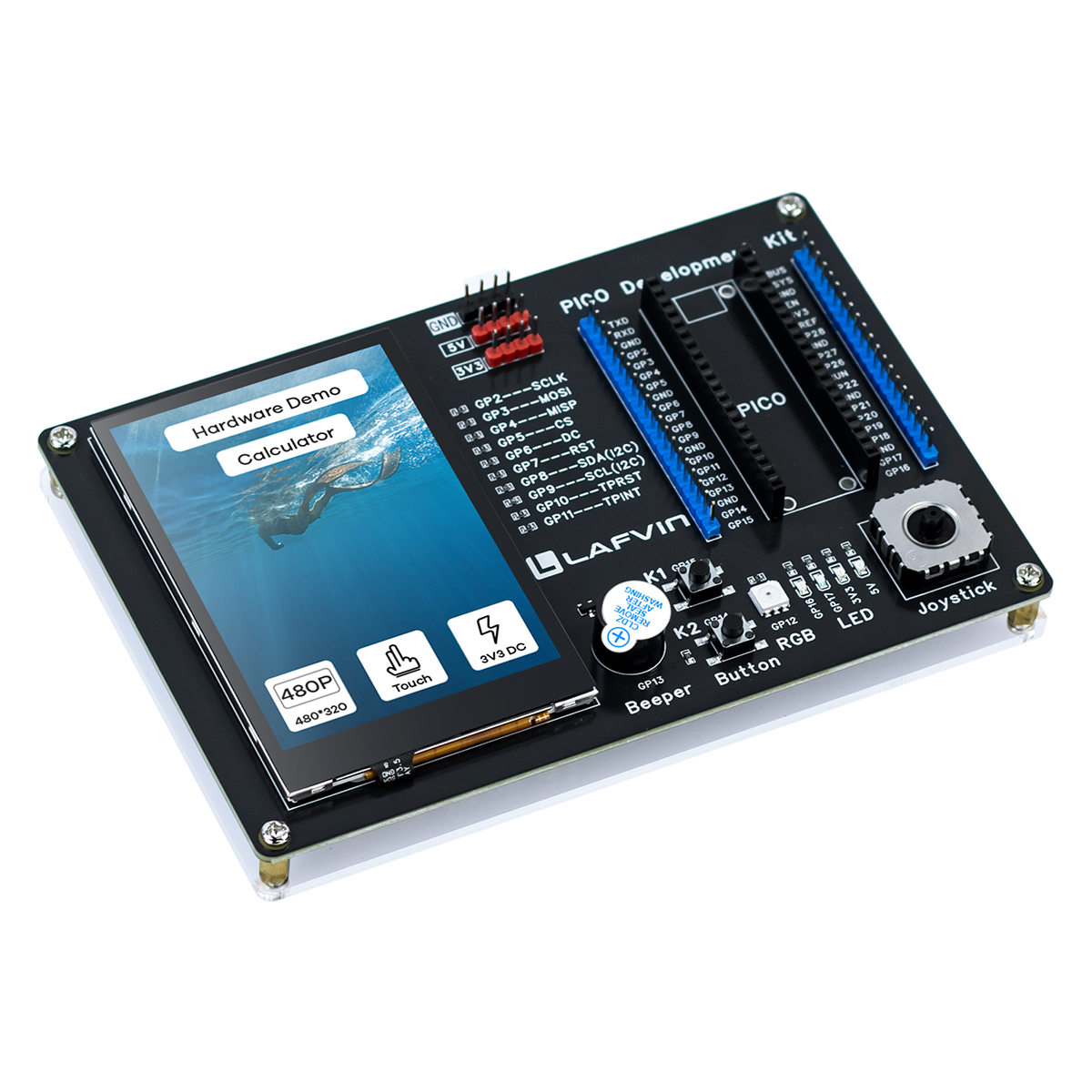
LAFVIN PICO Development Kit
Introduction
The LAFVIN PICO Development Kit is a versatile development board based on the Raspberry Pi Pico, designed for prototyping, learning, and experimentation.
Core Features
This kit integrates multiple commonly used peripherals, providing an out-of-the-box development experience:
Hardware Configuration
Display & Interaction
🖥️ 3.5-inch Capacitive Touch Screen
Resolution: 320×480 pixels
Display Driver: ST7796U
Touch Controller: GT911 (supports multi-touch)
Interface: SPI high-speed transmission
🕹️ Mini PSP Joystick
Dual-axis analog input (X/Y axis)
Precise analog control
Ideal for games and menu navigation
Input & Output
🔘 Dual Buttons
Programmable buttons (BTN1, BTN2)
Hardware debounce design
Supports multiple modes: long press, short press, etc.
🌈 RGB LED
WS2812 programmable full-color LED
Supports dynamic lighting effects
Can be used for status indication and visual effects
🔊 Buzzer
PWM-controlled buzzer
Supports tone control
Provides audio feedback and alert functions
💡 Dual LED Indicators
Independent LEDs (D1, D2)
For status display
Technical Specifications
Core Controller
MCU: Raspberry Pi Pico (RP2040)
Architecture: Dual-core ARM Cortex-M0+
Clock: Up to 133MHz
Memory: 264KB SRAM
Storage: 2MB Flash
Peripheral Interfaces
SPI: For display communication
I2C: For touch controller communication
ADC: Joystick analog input
PWM: Buzzer control
PIO: WS2812 LED driver
Power Supply
Input Voltage: 5V via USB
Operating Current: Approx 200-500mA
Design Highlights
🎯 Developer Friendly
All pins clearly labeled with complete PCB markings
Supports C/C++ and MicroPython development
Provides complete example code and documentation
Integrated FreeRTOS real-time operating system
🔌 Flexible Expansion
Removable jumper design for easy peripheral disconnection
Detachable 0Ω resistors for hardware isolation
Reserved expansion interfaces
🎓 Educational
Complete tutorial documentation
Learning path from beginner to advanced
Hardware demo and calculator example programs
Application Scenarios
This kit is suitable for various application scenarios:
🎮 Game Development - Develop mini-games using touchscreen and joystick
🎨 GUI Applications - Develop user interfaces based on LVGL graphics library
🤖 Embedded Learning - Learn RTOS, peripheral drivers, and other embedded technologies
📊 Data Visualization - Real-time display of sensor data
🔧 Prototype Development - Rapid validation of ideas and functions
📚 Education & Training - Ideal for universities and training institutions
Software Support
Development Environment
Pico C/C++ SDK
CMake build system
FreeRTOS real-time operating system
LVGL Graphics Library (v8.x)
Provided Examples
Hardware function demo
Calculator application
Complete driver code
Quick Start
Quick Start Guide: 1. Quick Start Guide
Advanced Development: 2. Advanced Development
Hardware Details: Component List
Get Support
📖 Documentation: This online documentation
💻 Source Code: GitHub Repository
🌐 Website: www.lafvin.com